FAQ?
- Visit - https://auth.combo-interactive.com/cabalmsea/login
- Press “register”
- The page will refresh and ask you to enter an email
- Enter a valid email and enter the OTP
- Once OTP is verified, you will be asked to fill up all of the information and press confirm
- If successful, you now have a Combo InterActive ID
- AID is a set of 25-characters used for players when submitting
information to receive rewards or for account investigation
purposes.
- You can find your AID on the website: https://sea-member.combocabalm.com/dashboardunder
“Profile”.
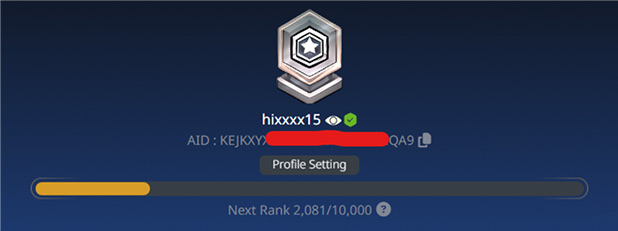
- AID is a set of 25-characters used for players when submitting information to receive rewards or for account investigation purposes.
- You can find your AID on the website: https://sea-member.combocabalm.com/dashboardunder “Profile”.
- Download the LINE app from the Play Store or App Store.
- Search for "@combo.cbmsea" or scan the provided QR code.
- Select "Add" and then "Chat."
- Link your account.
- Tap on "CS Support" to connect with our team.

- Go to the LINE app and tap on the Cabal: Infinite Combo profile.
- On the lower left, the keyboard menu will be available, tap on that to enable your keyboard.
- Type in the promotional code and your username to claim the voucher code (Ex: CABALGREAT <space> username)
- Once you receive a message with your voucher codes you may redeem it here: https://sea-member.combocabalm.com/itemcode
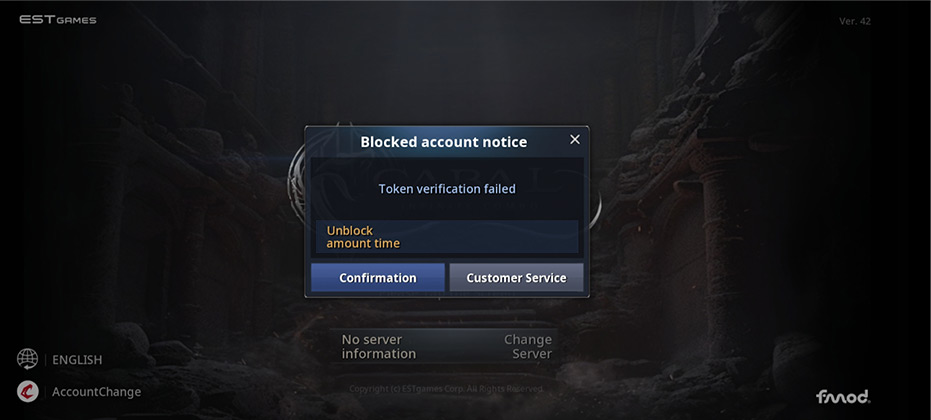
- Tap confirm on the notice.
- On the lower left of the server screen, tap “AccountChange”.
- Fully close the game, then go to settings.
- In settings, tap on the “Apps” section.
- Locate the Cabal: Infinite Combo app.
- Find “Storage”, then tap “Clear Cache”.
- Open the Cabal: Infinite Combo app again and log in.